🌐 EN
Happ – iPhone / Android
A free app and the easiest to use: just scan the QR code. Chinese websites/apps go direct, so they stay fast. The numbers ①②③… in the pictures show where to tap.
Before you startDownload the app
iPhone / Mac (App Store)Android (.apk)Windows (.exe)
- iPhone: App Store says the app isn't available → see sign in to the App Store or switch to the US.
- Android: open the file after downloading to install; tap Allow if asked.
Step 1Scan the QR code (recommended)
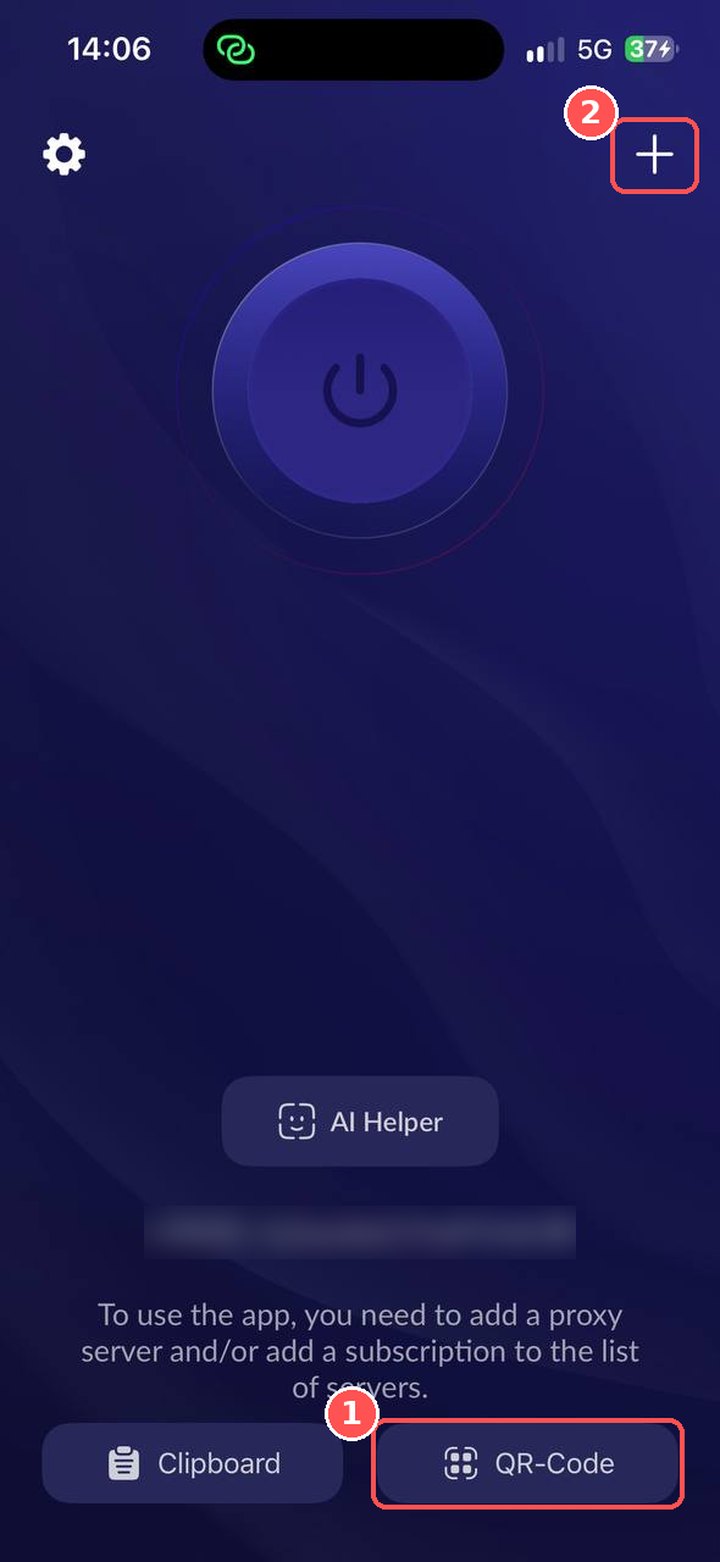
Open Happ, tap the ① QR-Code button at the bottom, allow camera access and point the camera at your subscription QR code. The app adds your plan automatically — go straight to Step 3.
Step 2Can't scan? Paste the link
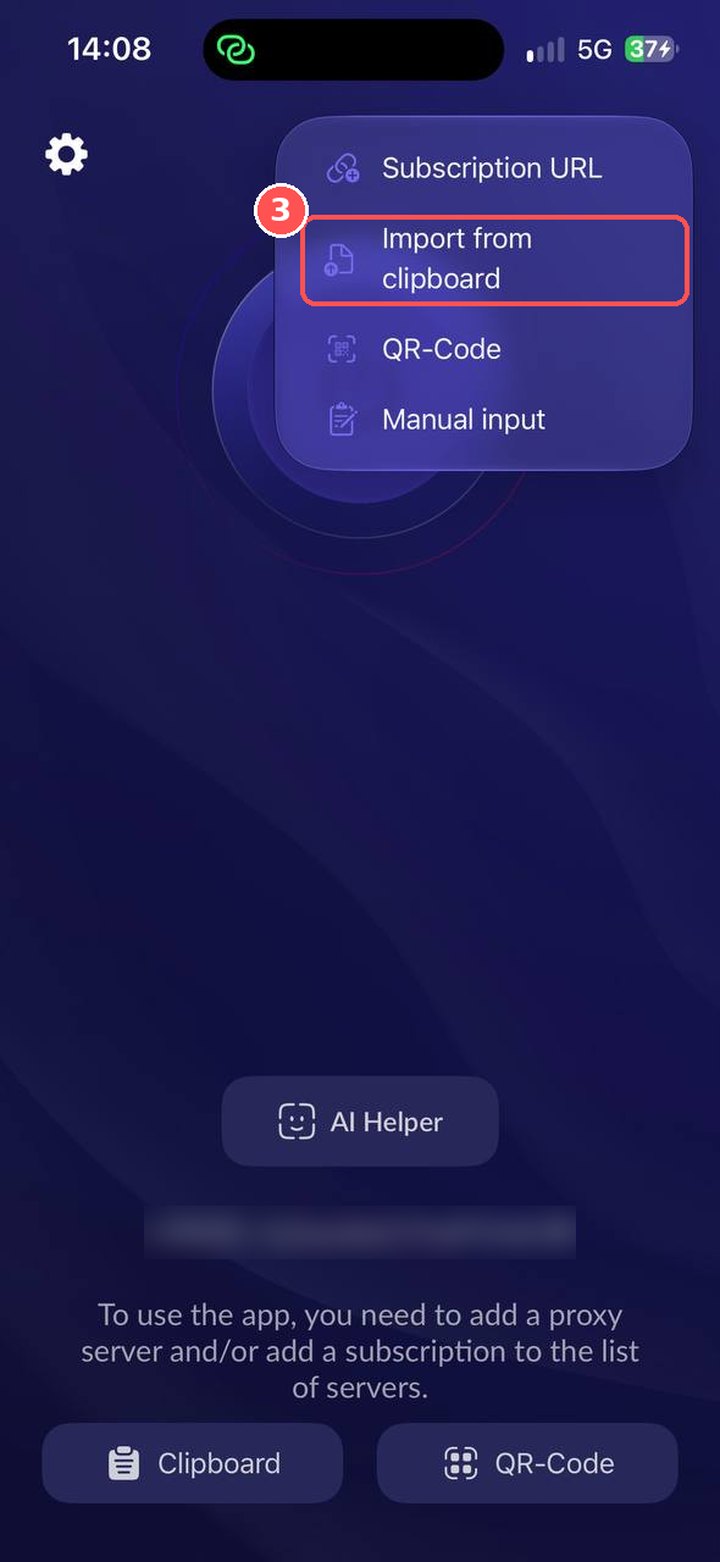
Copy your subscription link (log in to tltvpn.com → home page → copy subscription link), open Happ and tap + ②, then choose ③ Import from clipboard. If the phone asks whether Happ may paste, tap Allow Paste.
Step 3Pick a server and connect
Once added you'll see the plan name ④ with data and expiry date. Pick a server ⑤ (a row with a flag), then tap the power button ⑥ to connect.

Update servers (if you lose connection or just renewed)
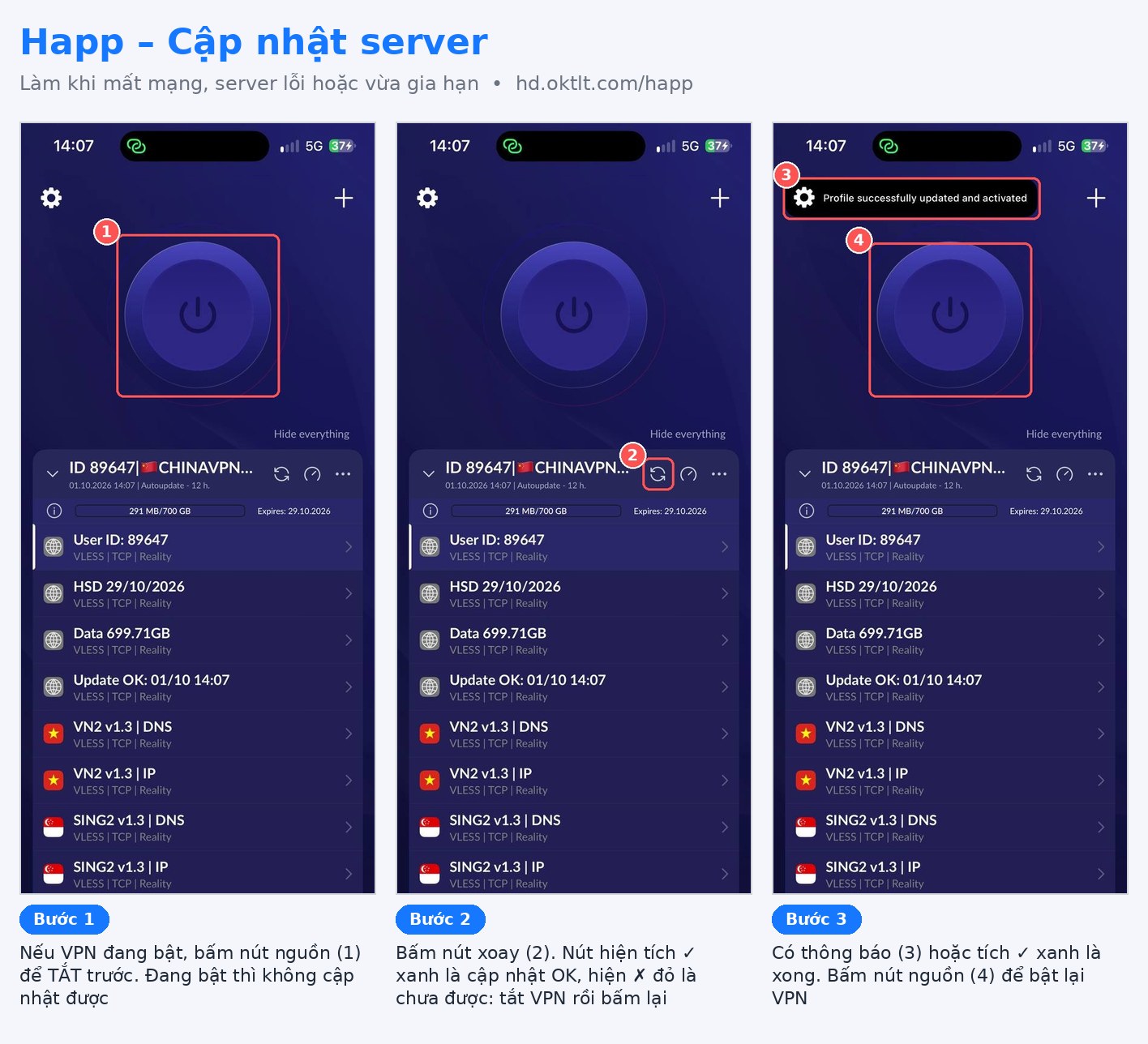
Turn the VPN off first (tap the power button) — Happ won't update while it's on. Then tap the circular arrow icon next to the plan name. A green ✓ (with the message Profile successfully updated) means it worked; tap the power button to turn the VPN back on. A red ✗ means it didn't update: check the VPN is off and tap again. The app also updates by itself every 12 hours.
Still not working? Message support with a screenshot.