🌐 EN
Sign in to the App Store in iPhone Settings
The China App Store doesn't have Happ / Clash Mi. Switch your App Store account to the account the shop sends you in Settings → Media & Purchases, download the app, then sign out right away. Only the App Store part changes — your iCloud stays the same. The numbers ①②③… in the pictures show where to tap.
Want to use your own Apple account? See switch the App Store to the US.
Before you startGet an account
- Ask the shop for an Apple account (email + password) to download the app.
- The account is shared — don't give it to anyone else.
Phone not signed in to any Apple account (no name at the top of Settings)? Open the App Store → tap the profile picture at the top right → enter the shop account there, then continue from Step 6. After downloading, tap the profile picture again → scroll to the bottom → Sign Out.
Step 1Open Settings
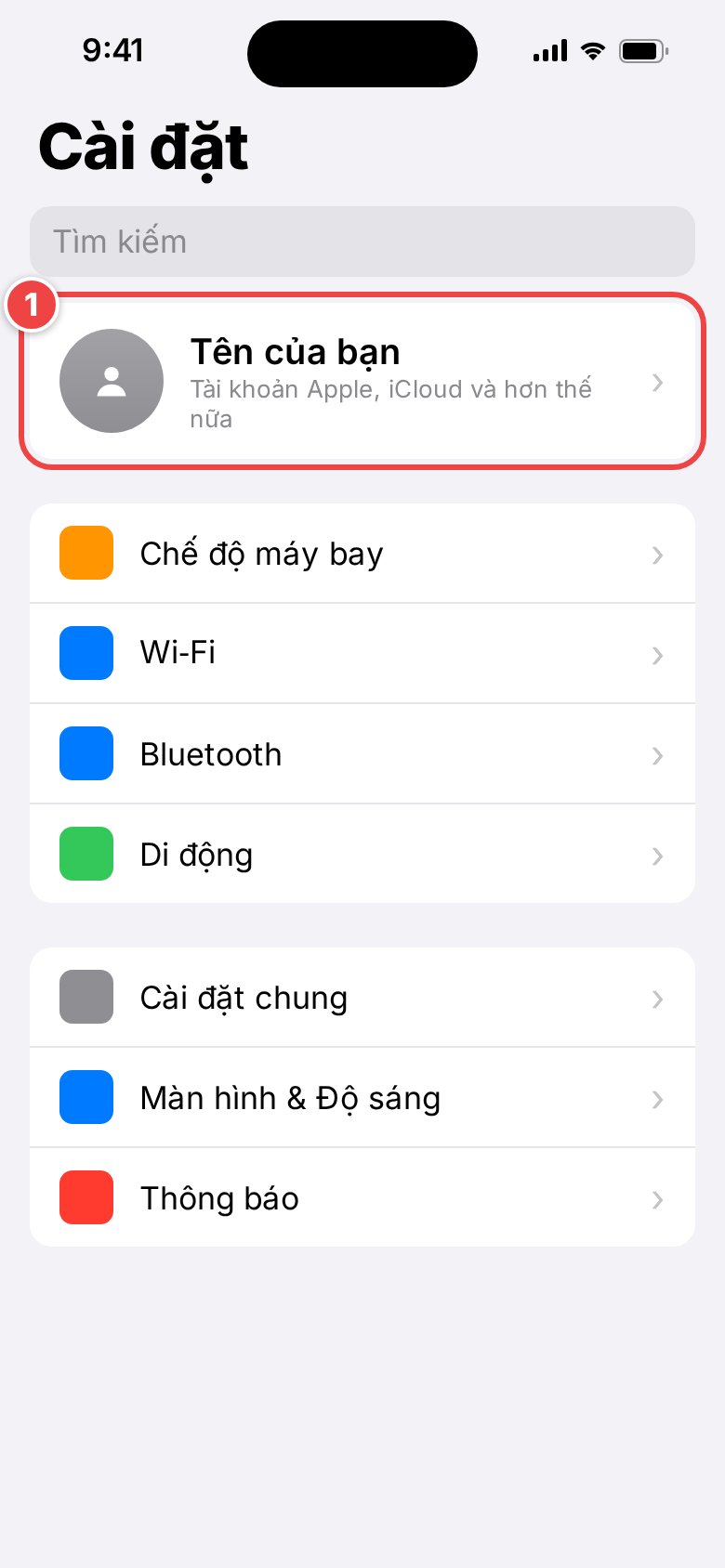
Open Settings and tap your account name ① at the top.
Step 2Go to Media & Purchases
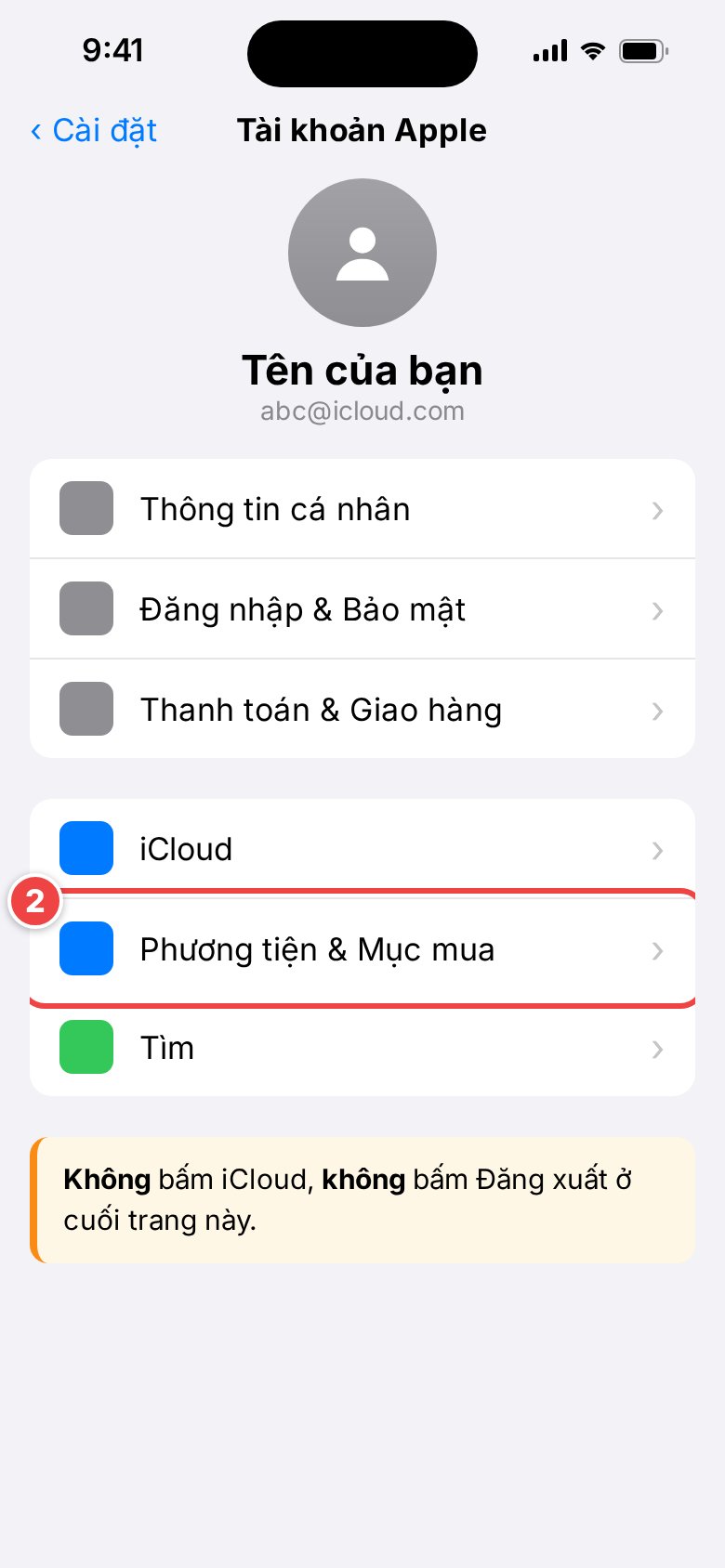
Tap Media & Purchases ②. Don't tap iCloud, and don't tap Sign Out at the bottom of this page (that button signs out of iCloud too).
Step 3Sign out of the App Store
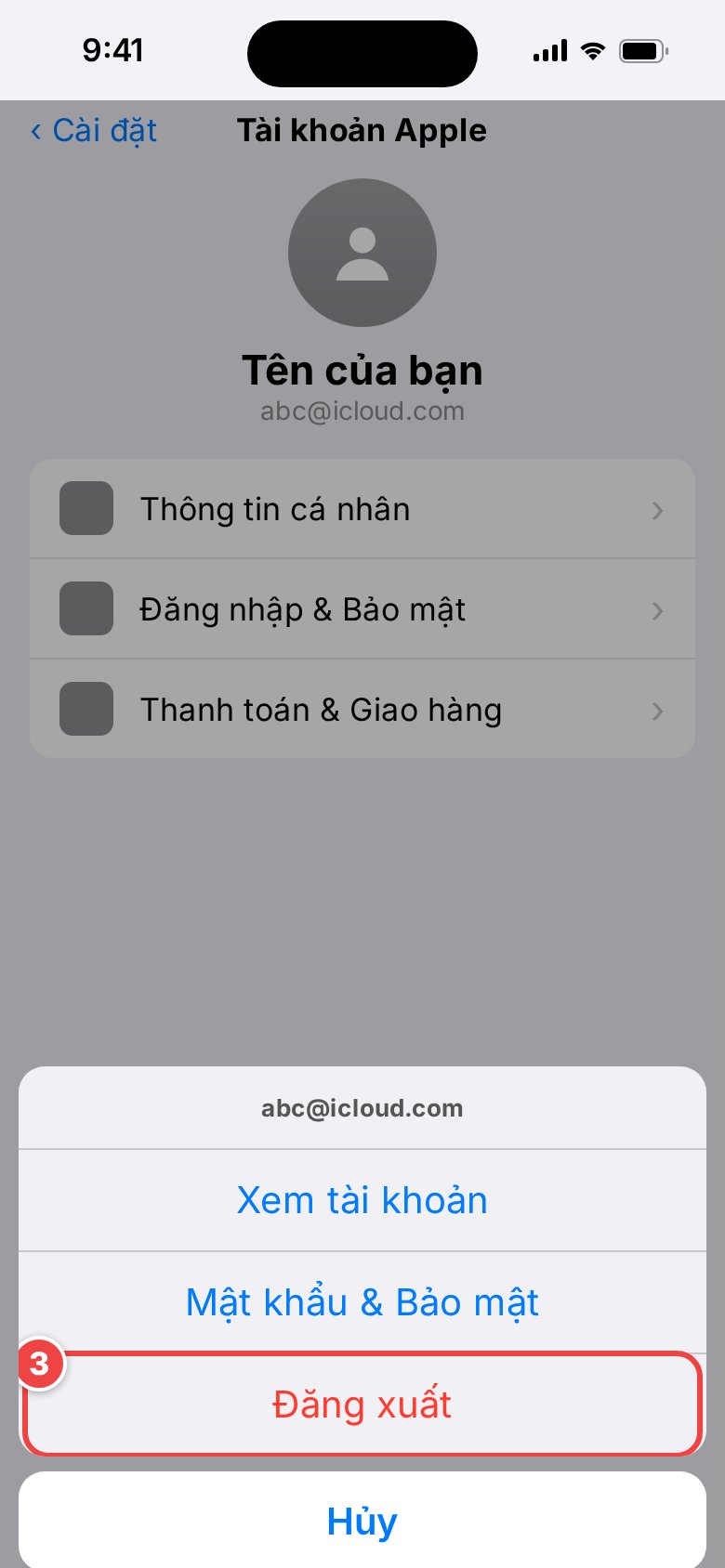
In the menu that opens, tap Sign Out ③. This only signs out of the App Store; your iCloud, photos and contacts stay as they are.
Step 4Choose another account
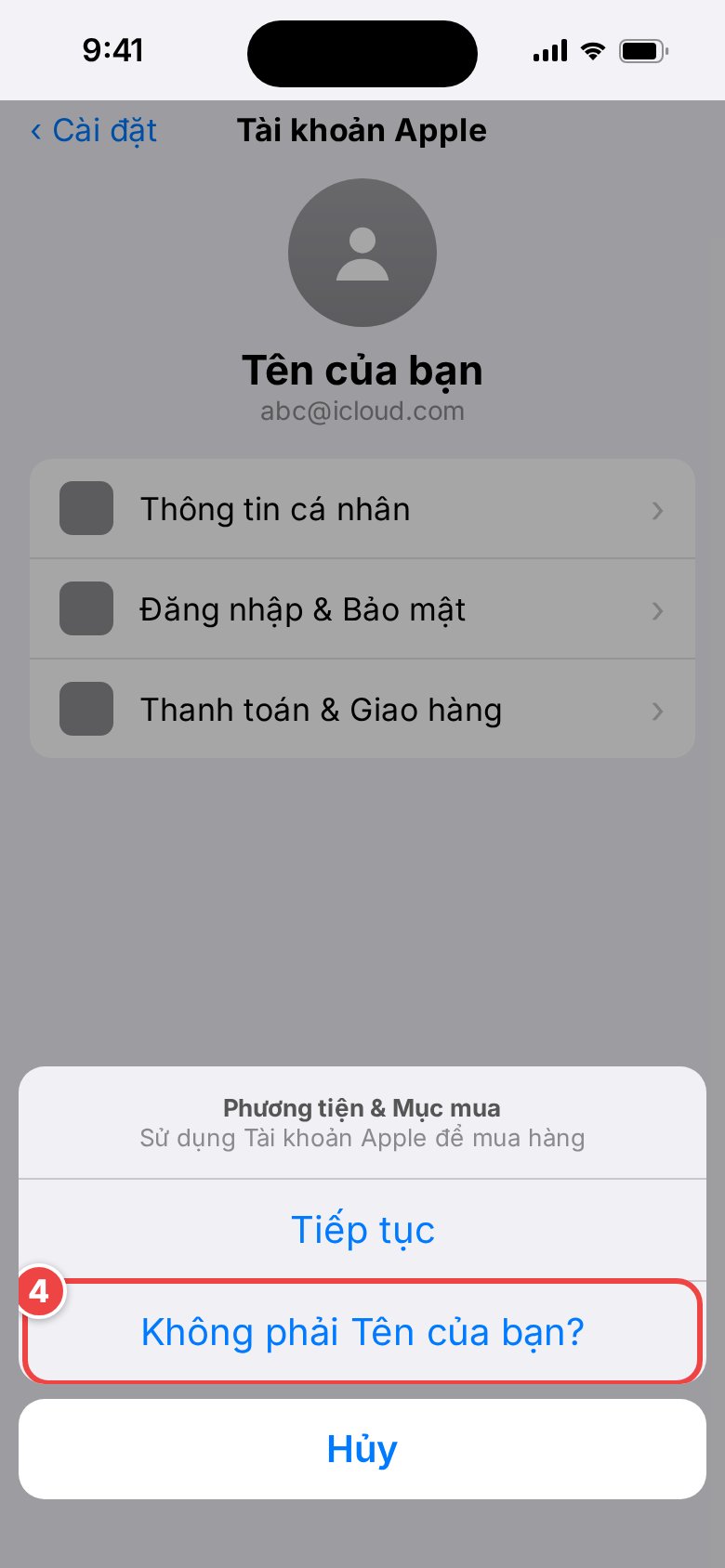
Tap Media & Purchases again and choose Not [your name]? ④.
Step 5Enter the shop's account
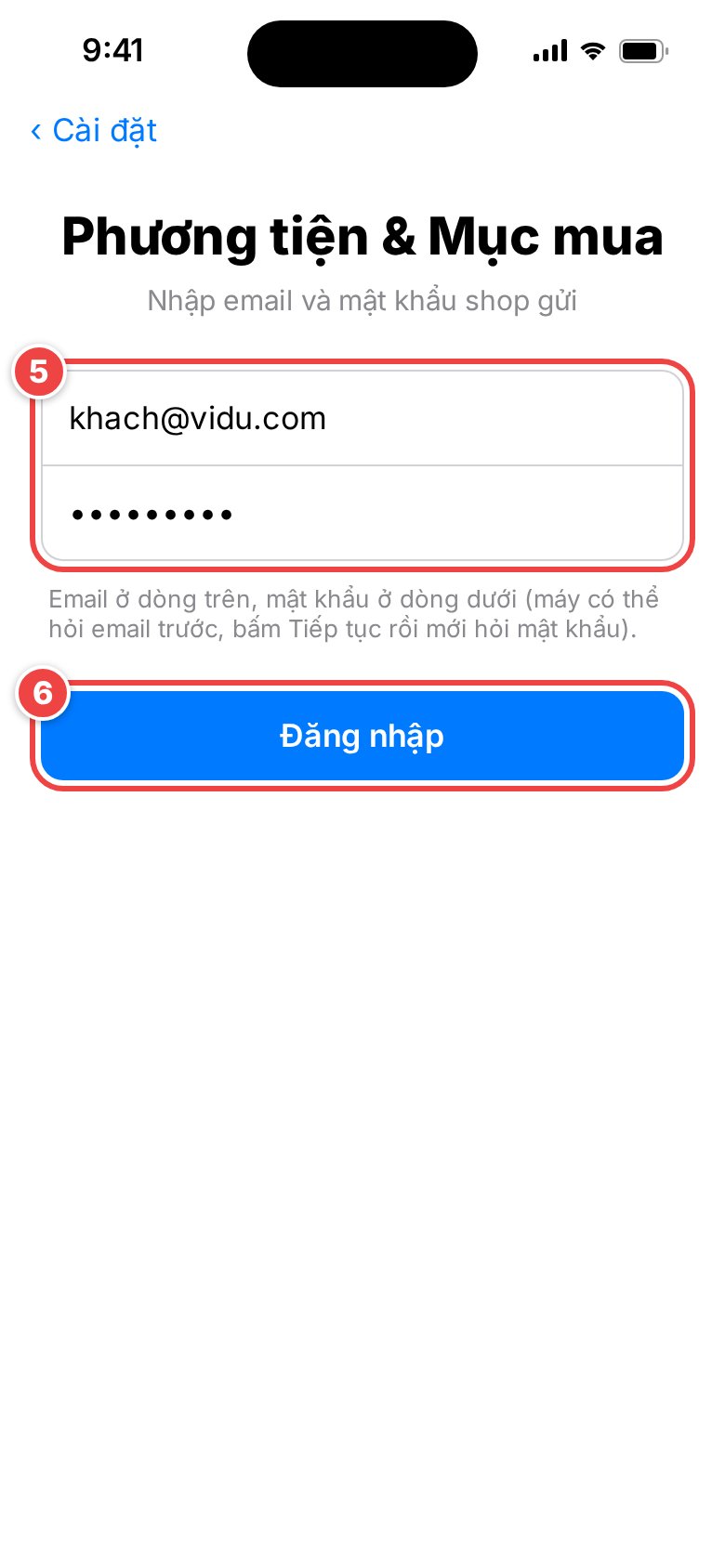
Enter the email and password the shop sent ⑤ and tap Sign In ⑥. Copy and paste them to avoid typos. If asked to upgrade security / add payment info, choose No / Not Now / Skip.
Step 6If asked for a verification code
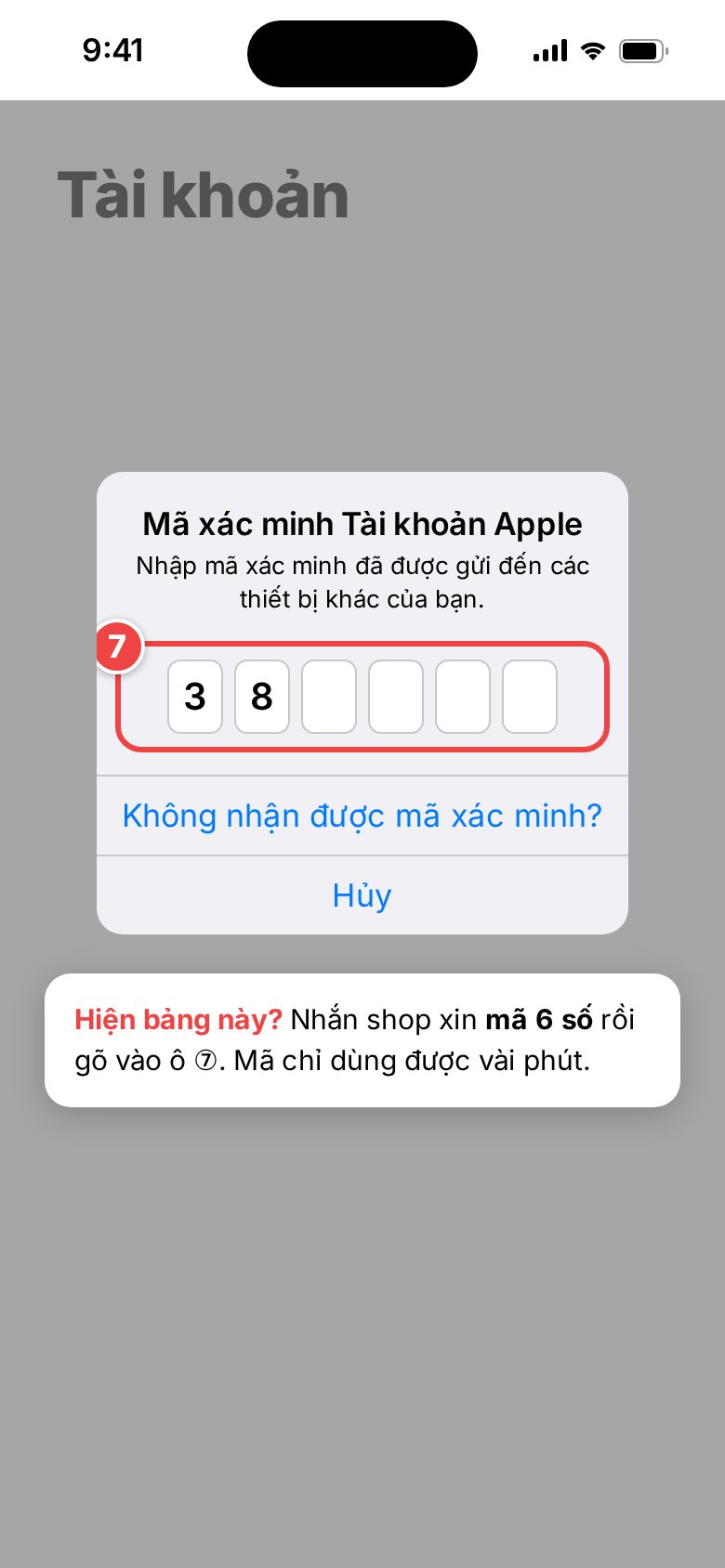
If a Verification Code box appears, ask the shop for the 6-digit code and type it into box ⑦. The code only works for a few minutes.
Step 7Download the app
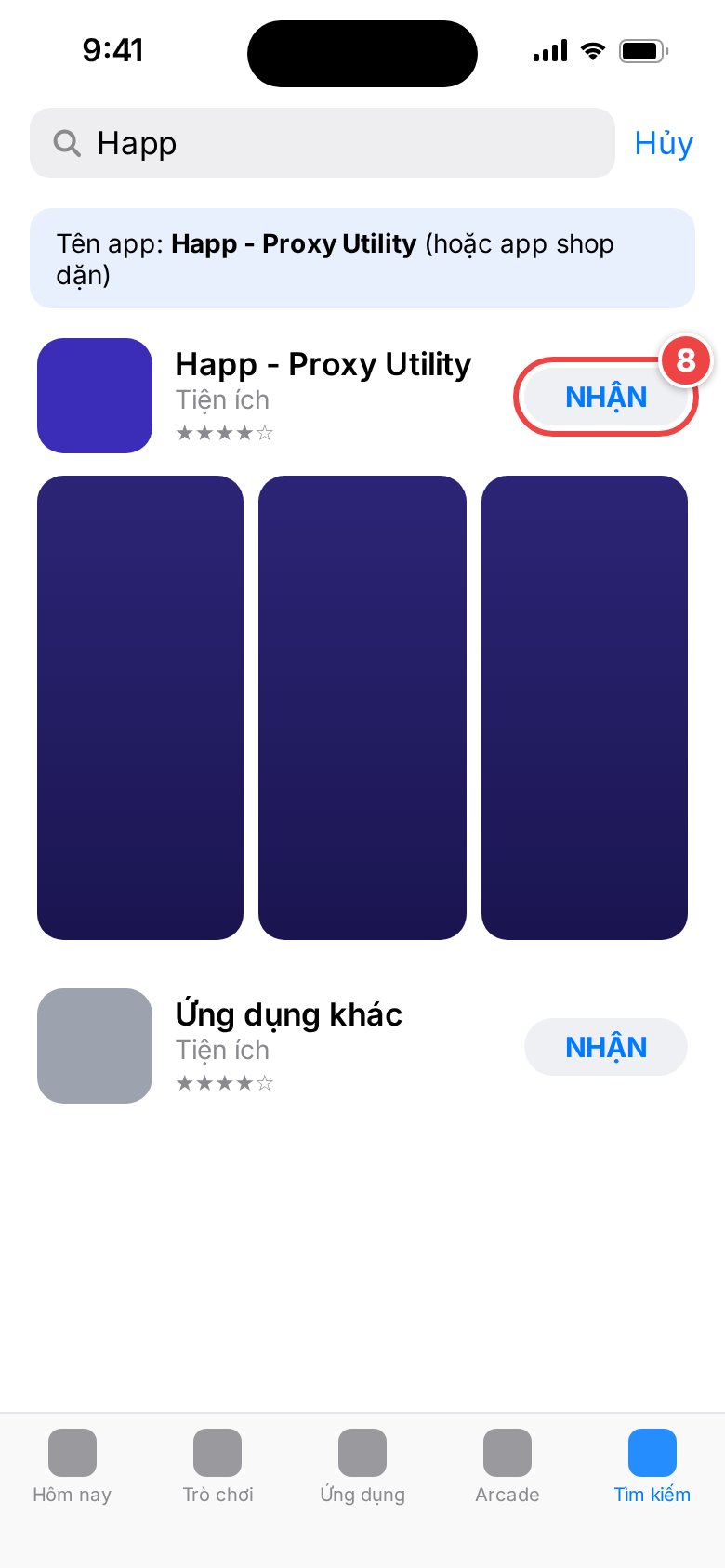
Open the App Store, go to Search, type Happ (or Clash Mi) and tap GET ⑧. Or tap the download button on the step-by-step setup page. Wait until the download fully finishes.
Step 8Sign out of the shop account right away
After downloading, repeat Steps 1–3: Settings → your name → Media & Purchases → Sign Out. You can then sign back in with your own account in the same place.
Problems
- Wrong password / account locked: message the shop — the password may have just changed.
- Phone keeps showing sign-in codes / asking for a password: you haven't signed out of the shop account; redo Step 8.
- Need to update the app: sign in again with the steps above, update, then sign out.
- Still not working? Message support with a screenshot.