🌐 EN
Switch the App Store to the US
For anyone who wants to use their own Apple account to download Happ / Clash Mi (the China App Store doesn't have them). Change the region to United States – Alaska, ZIP 99501, no card needed. If you don't want to change region, use the shop's account. The numbers ①②③… in the pictures show where to tap.
Before you startBefore changing region
- Cancel all subscriptions (Settings → your name → Subscriptions) and wait until they end.
- Spend your Apple account balance (any remaining credit must be used up first).
- If you're in a Family Sharing group, leave it first.
Changing region doesn't delete photos, contacts, iCloud or installed apps — they all keep working. To go back to your old region, do these steps again and choose China.
Step 1Open Settings
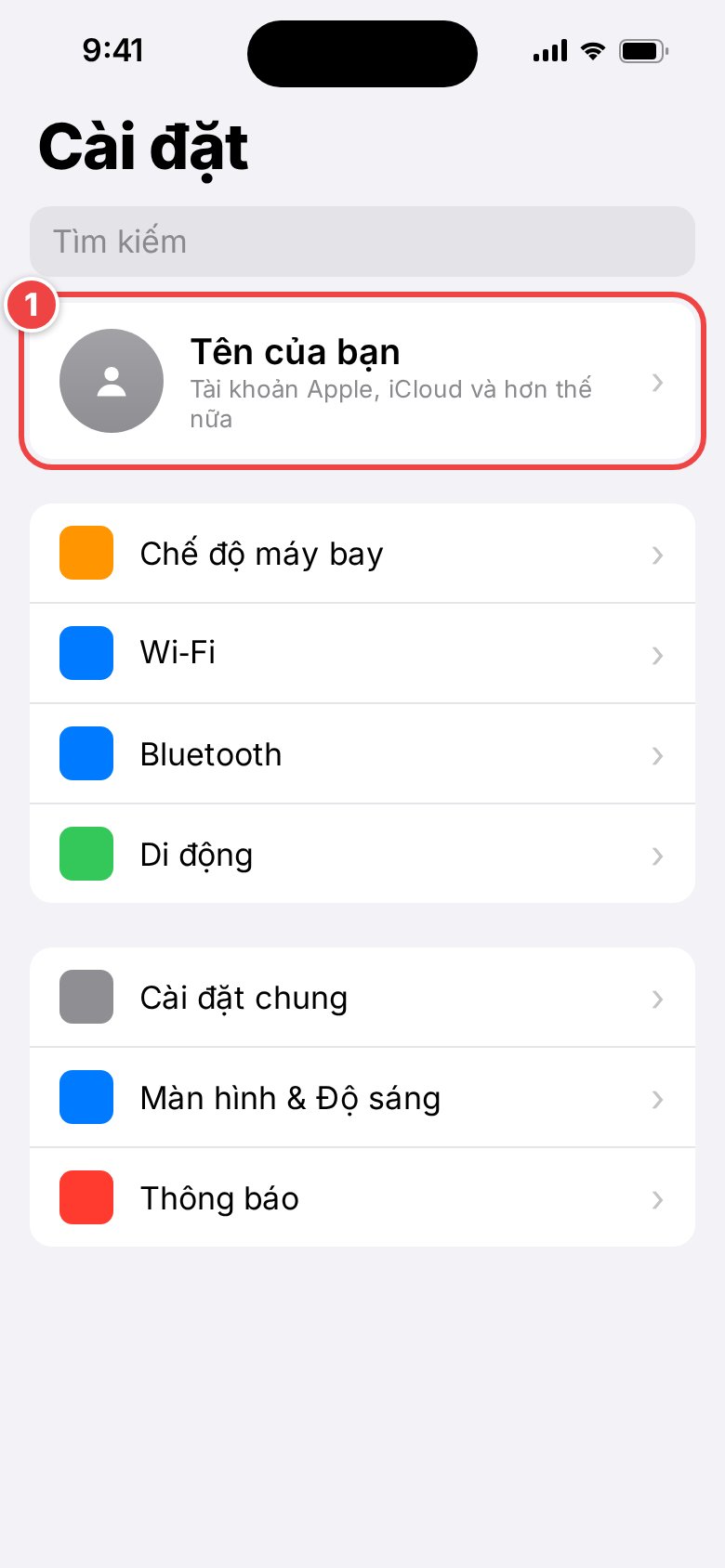
Open Settings and tap your account name ① at the top.
Step 2Media & Purchases
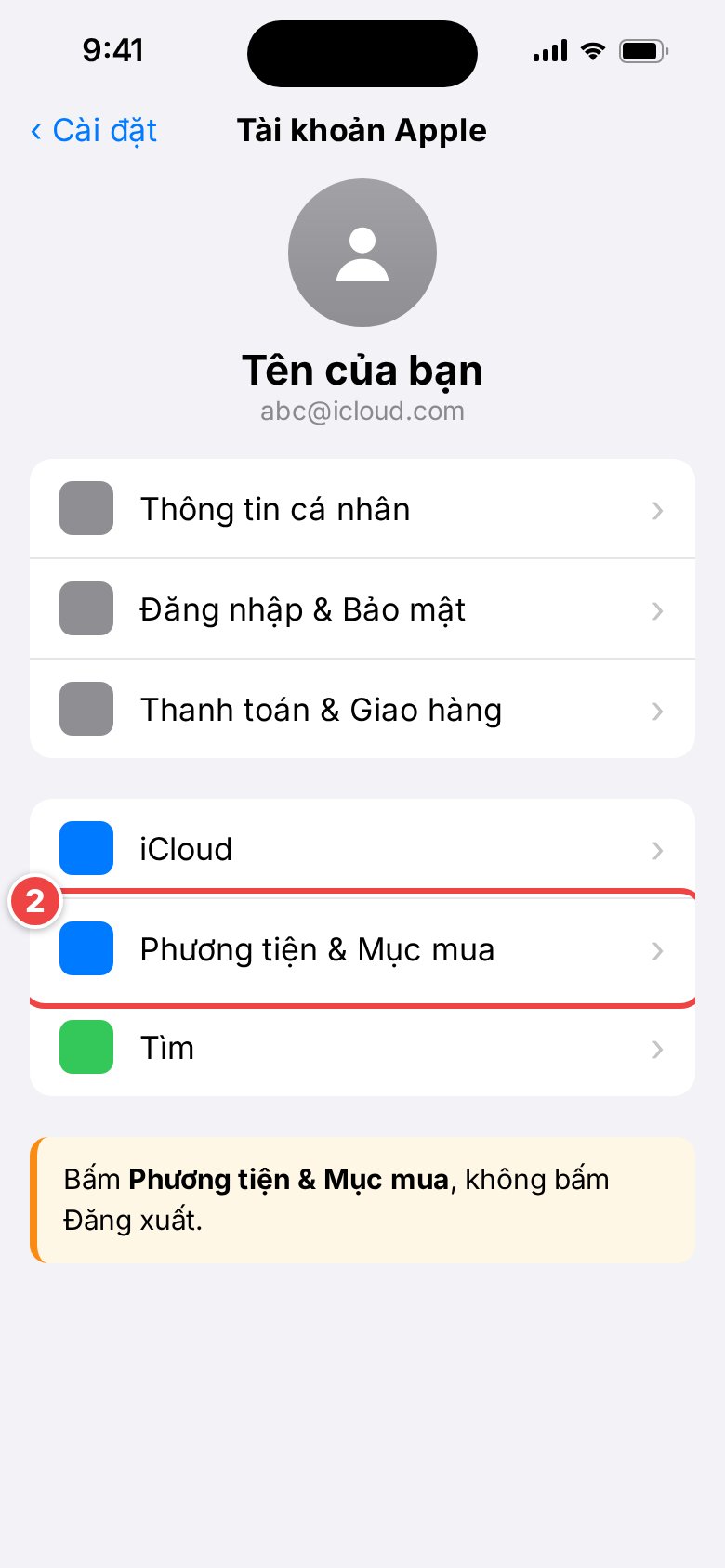
Tap Media & Purchases ②.
Step 3View Account
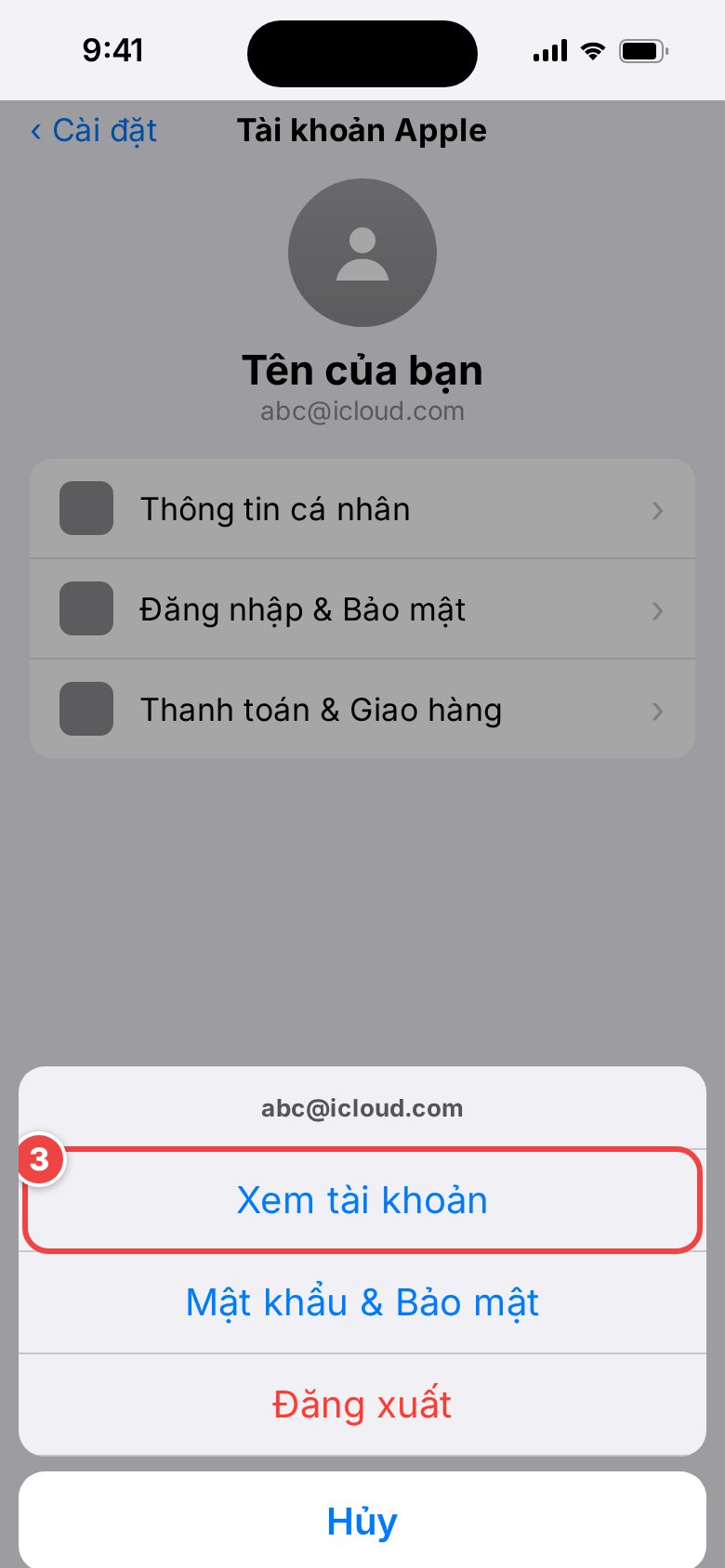
In the menu that opens, tap View Account ③ (you may be asked for Face ID / password).
Step 4Country/Region
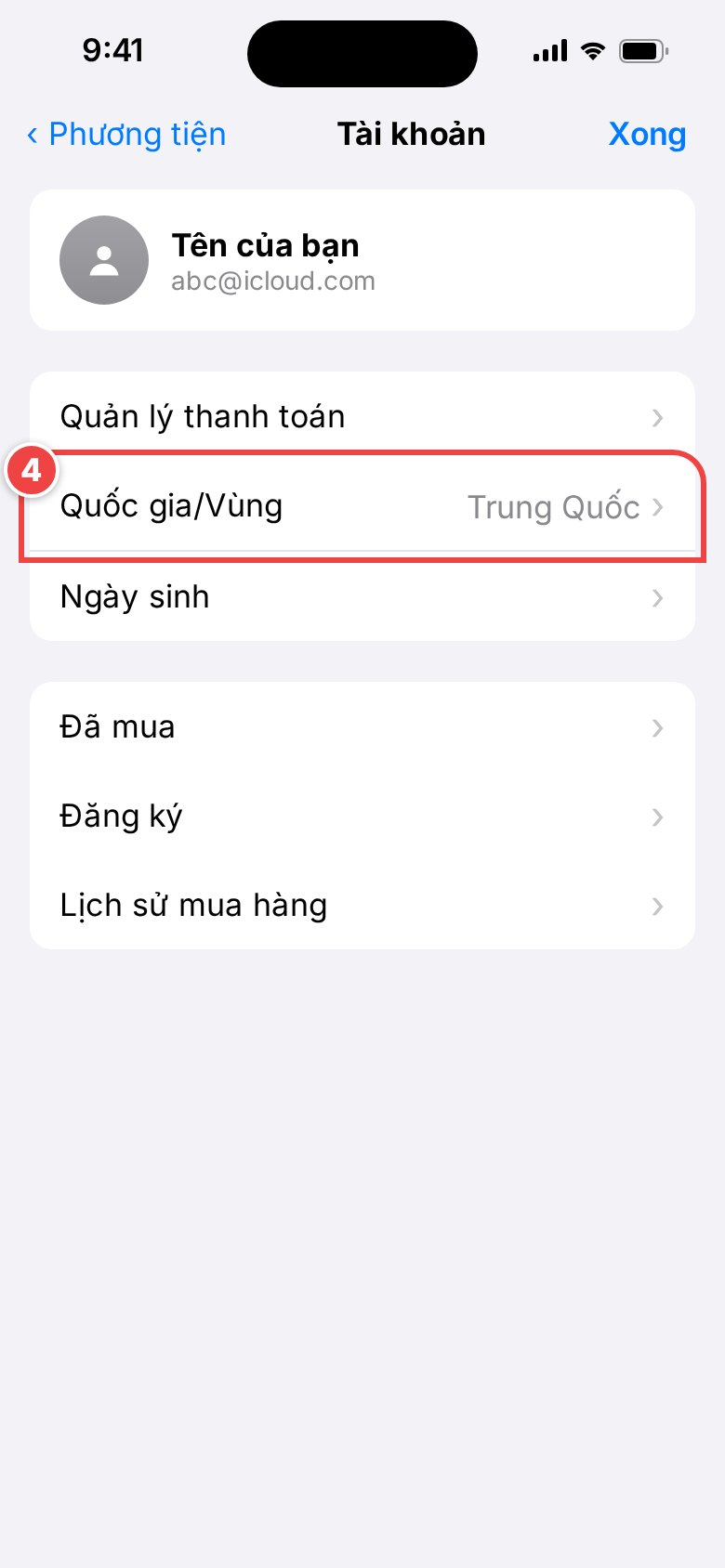
Tap Country/Region ④.
Step 5Change region
Tap Change Country or Region ⑤.
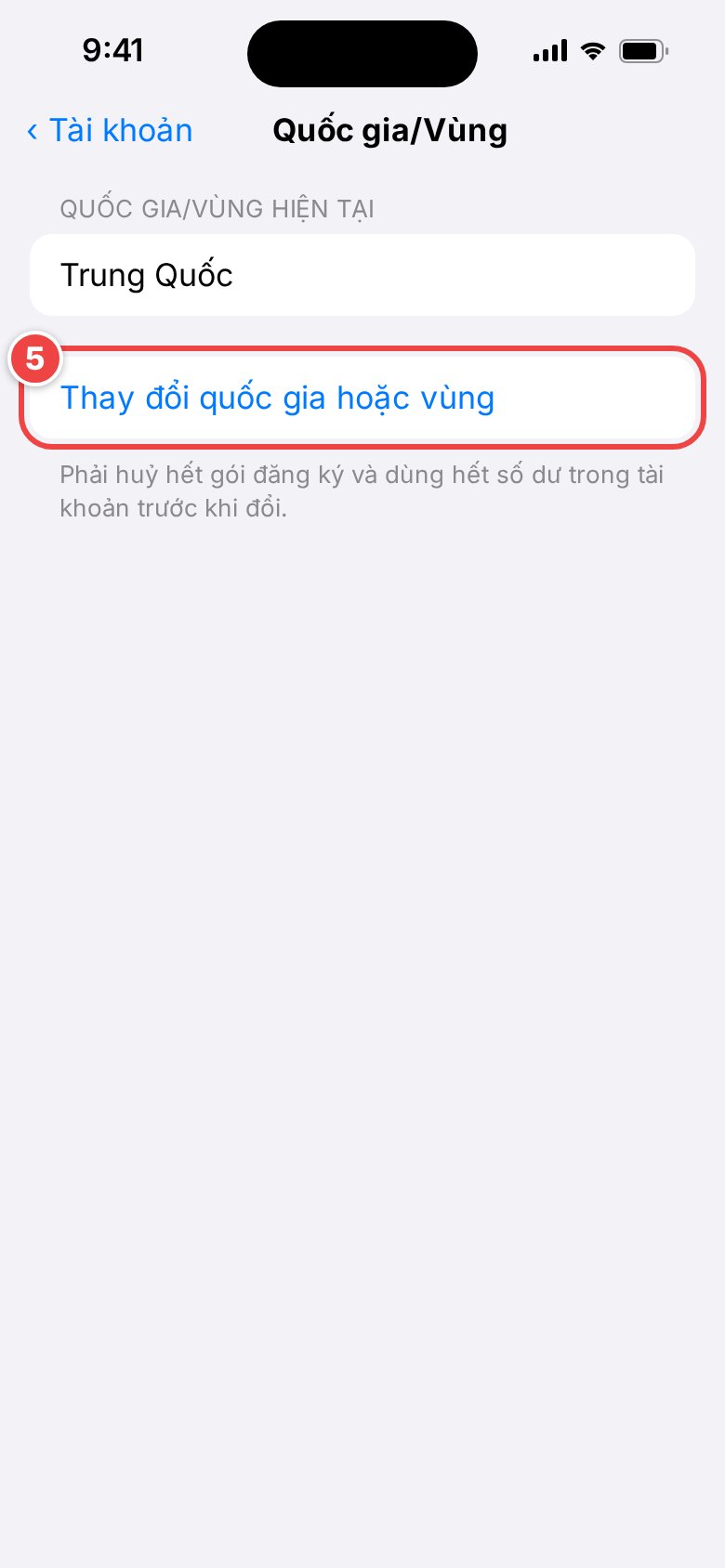
If it says you can't change it, see Before you start above (active subscription / remaining balance / in a family group).
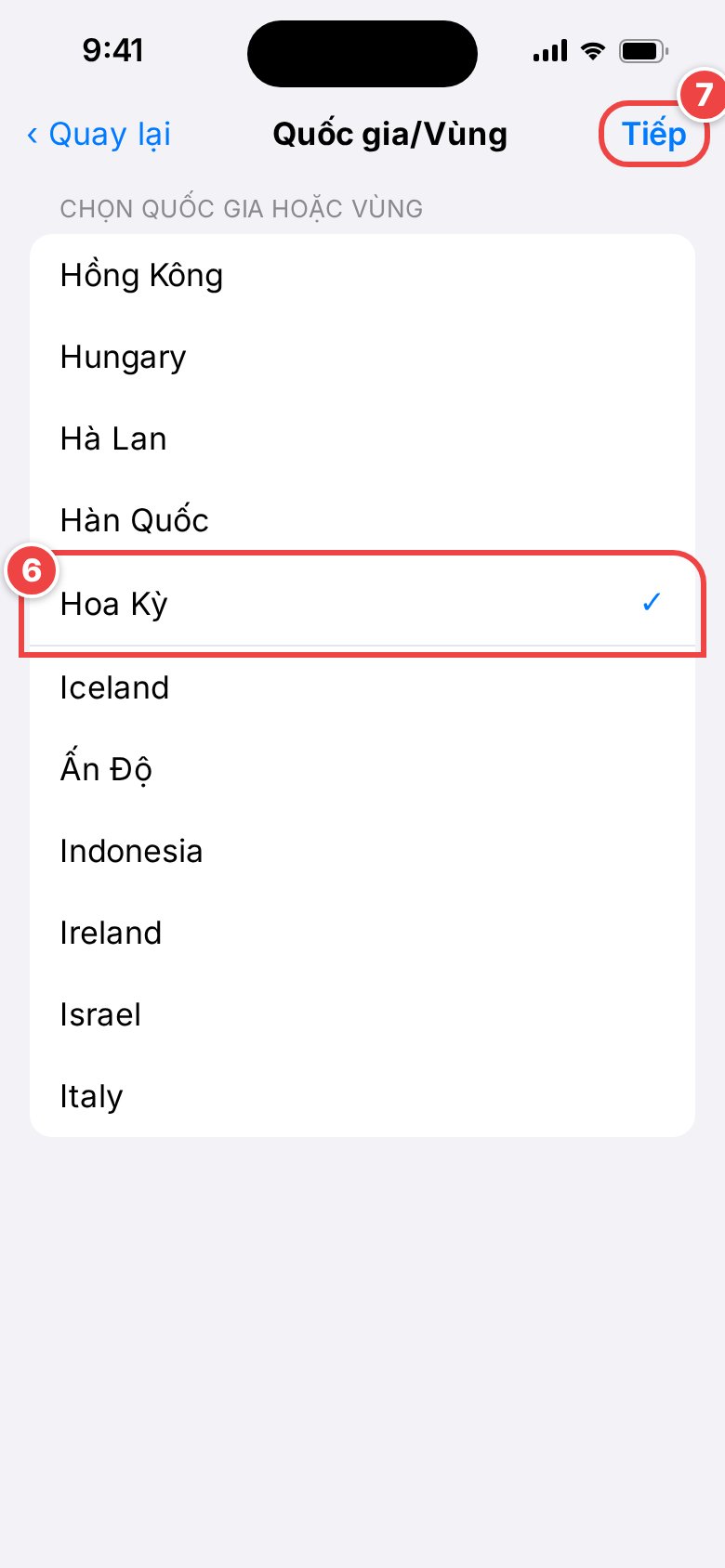
Step 6Choose United States
Scroll to United States ⑥ and tap Next ⑦ at the top right.
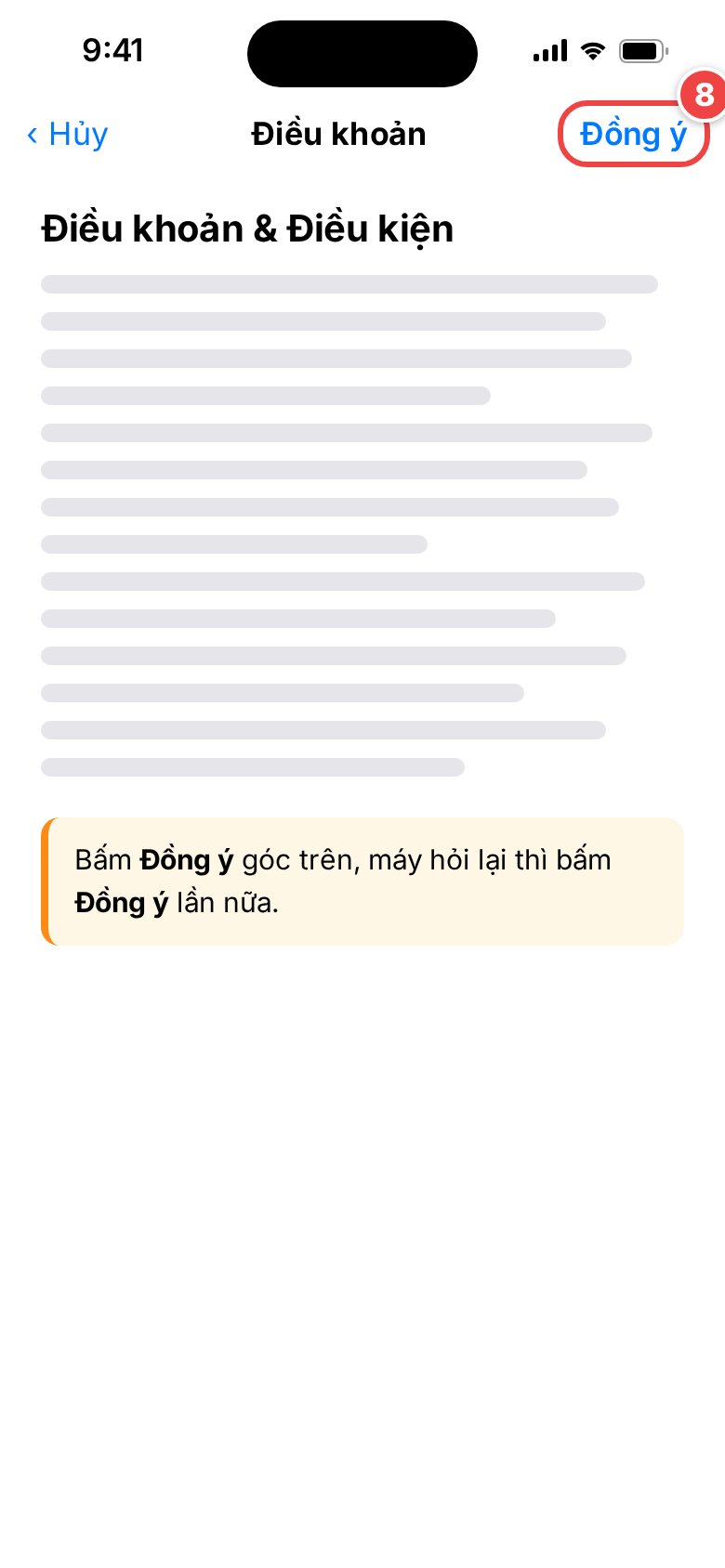
Step 7Agree to the terms
Tap Agree ⑧ at the top; if asked again, tap Agree once more.
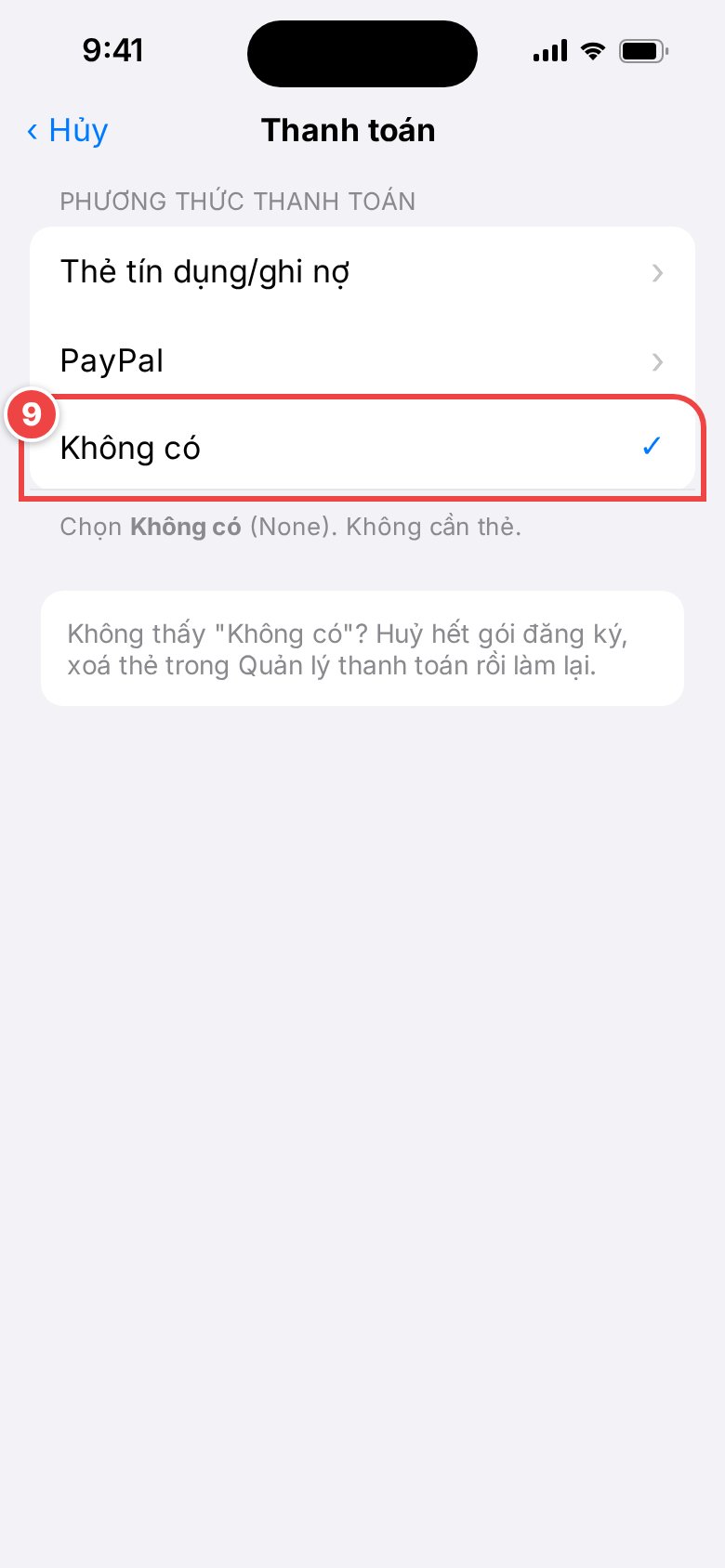
Step 8Payment: None
For payment method choose None ⑨. No card needed.
Step 9Enter a US address
Fill in the address ⑩ and tap Next ⑪:
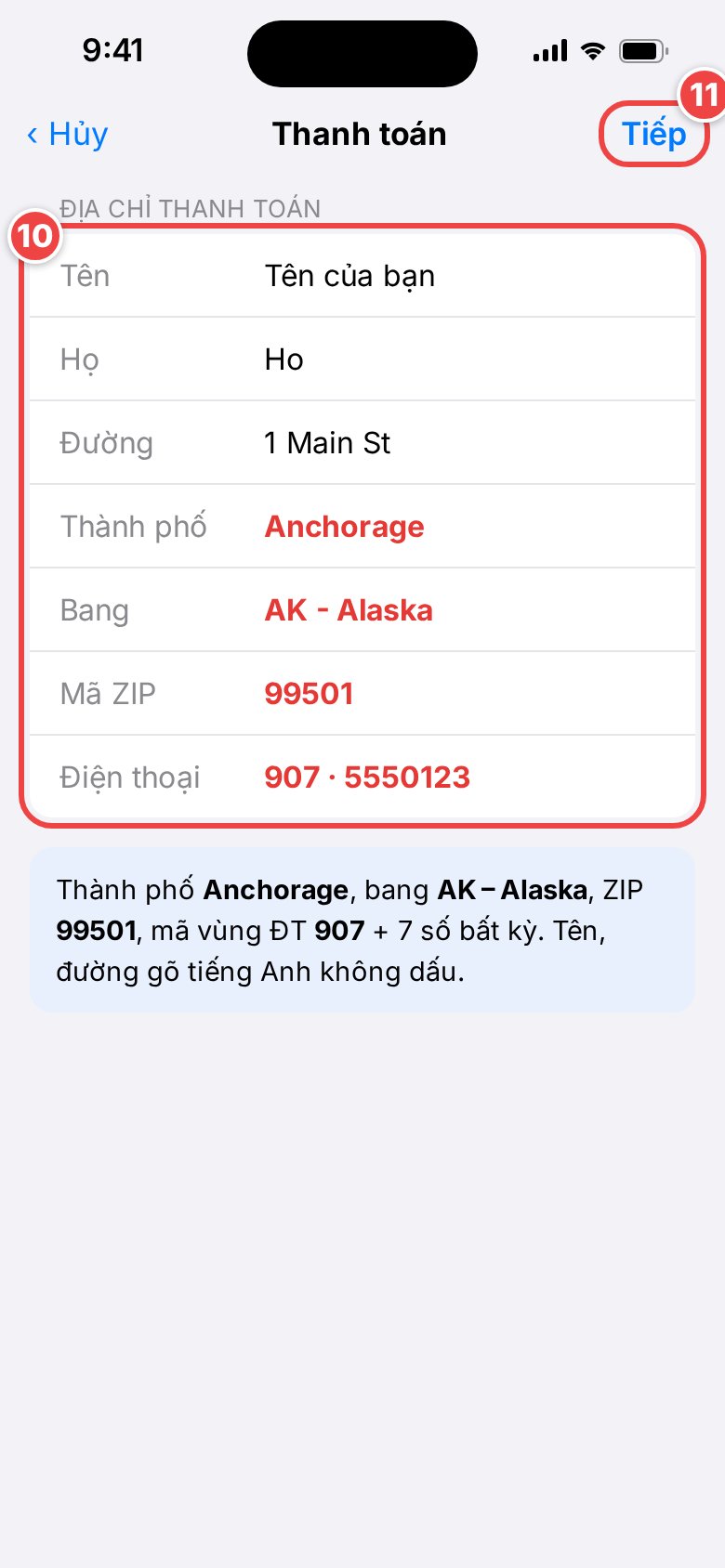
- First and last name: your name, in Latin letters without accents
- Street:
1 Main St - City:
Anchorage - State: AK - Alaska
- ZIP:
99501 - Phone: area code
907, number5550123(any 7 digits)
Done! Open the App Store and search for Happ, or tap the download button on the step-by-step setup page.
Problems
- “You can't change your country or region”: you still have a subscription, a balance, or you're in a family group. Fix it as in "Before you start" and try again.
- No “None” option for payment: remove the card / payment method in Manage Payments and try again.
- Address / ZIP error: check City
Anchorage, State AK, ZIP99501, phone area code907. - Still not working? Message support with a screenshot, or use the shop's account.