🌐 EN
Clash Mi – iPhone / iPad / Android
A free app that picks the fastest server for you. Chinese websites/apps go direct, so they stay fast. The numbers ①②③… in the pictures show where to tap.
Before you startDownload the app
iPhone / iPad (App Store)Android (.apk)Windows (.exe)
- iPhone: App Store says the app isn't available → see sign in to the App Store or switch to the US.
Step 1Open "add profile"
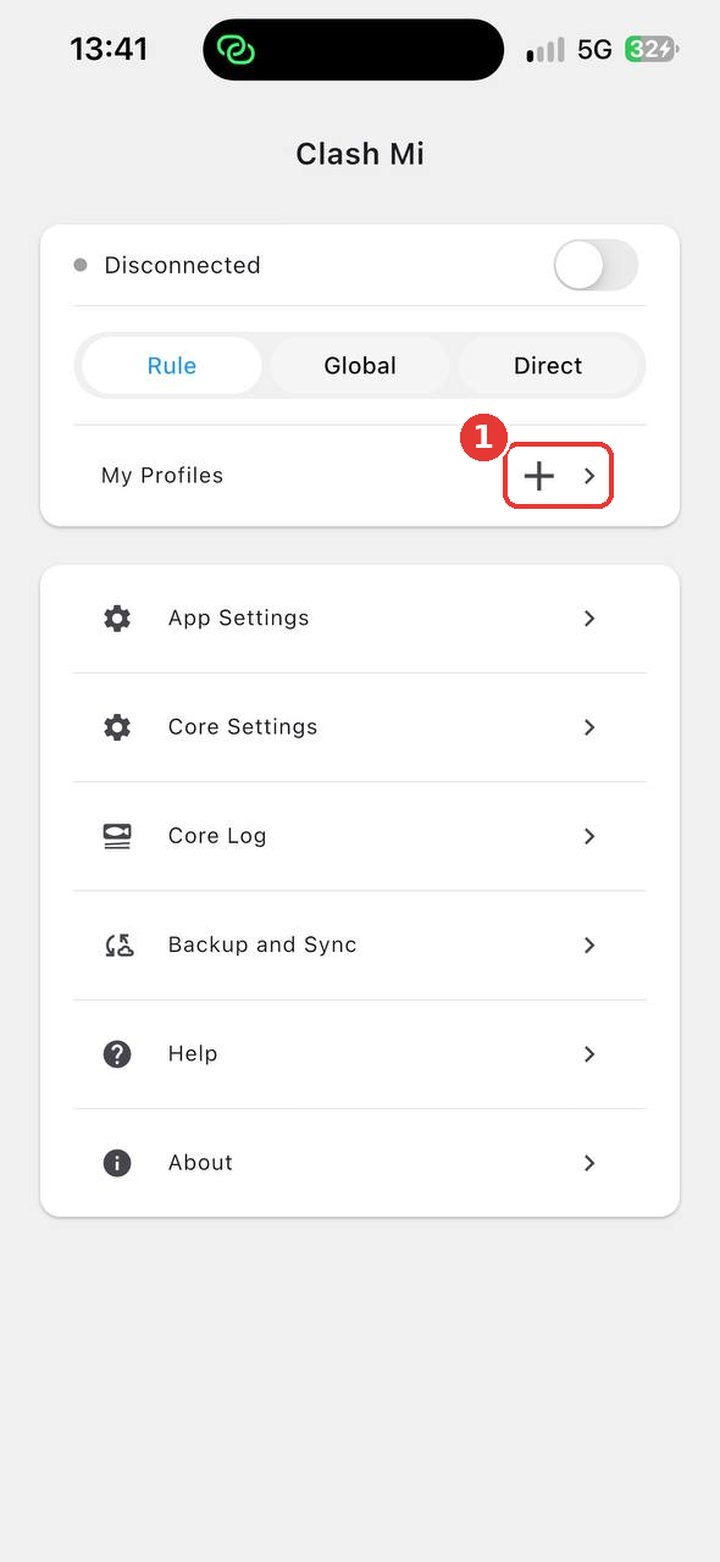
Open Clash Mi and tap + ① on the My Profiles row.
Step 2Scan the QR code (recommended)
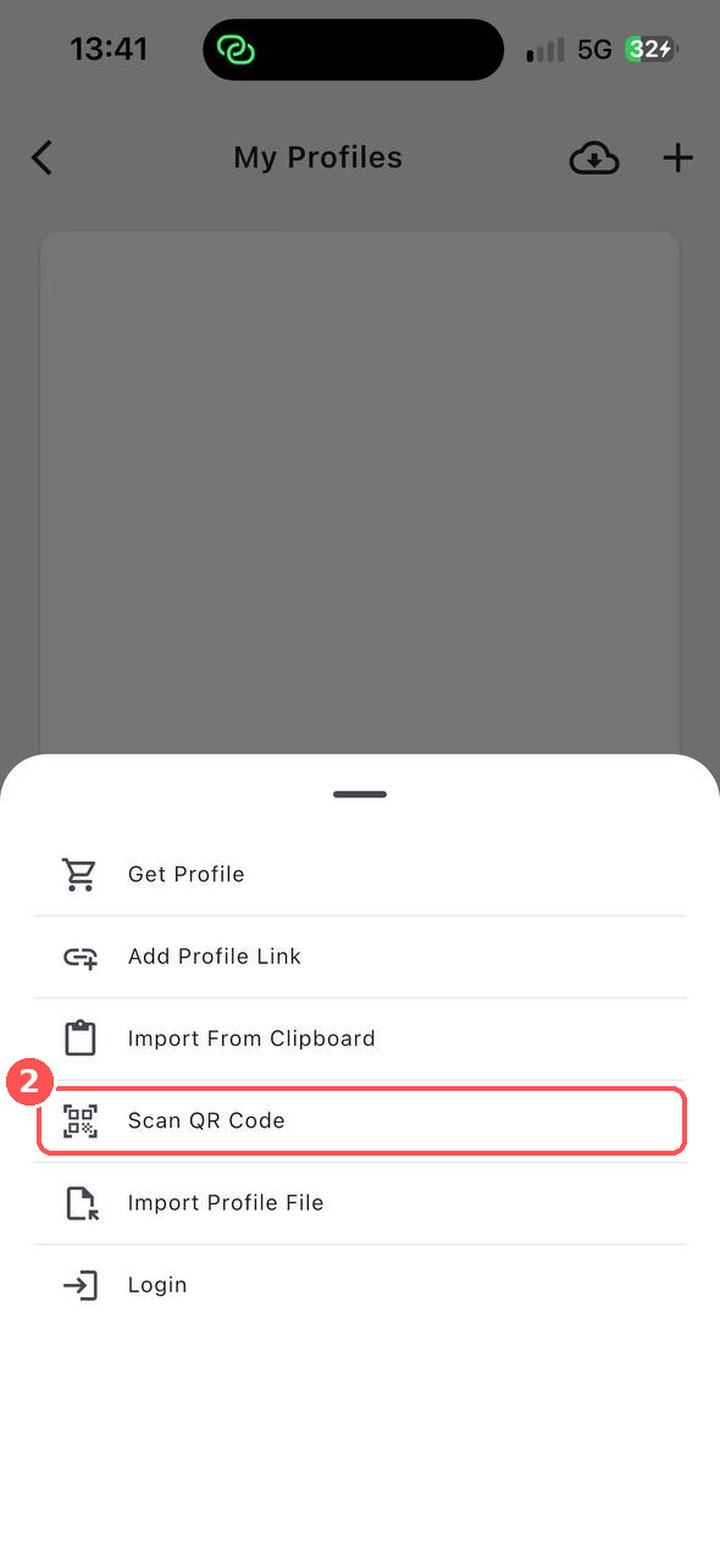
In the menu that opens, choose ② Scan QR Code, allow camera access and point the camera at your subscription QR code. If the app shows an Add Profile Link screen with the link filled in, turn on X-HWID and tap ✓.
Step 3Can't scan? Paste the link
Copy your subscription link (log in to tltvpn.com → home page → copy subscription link). In the menu above choose Add Profile Link, paste the link into box ③, turn on the ④ X-HWID switch (it turns green), then tap ✓ ⑤. Leave everything else as it is.

Step 4Check the profile
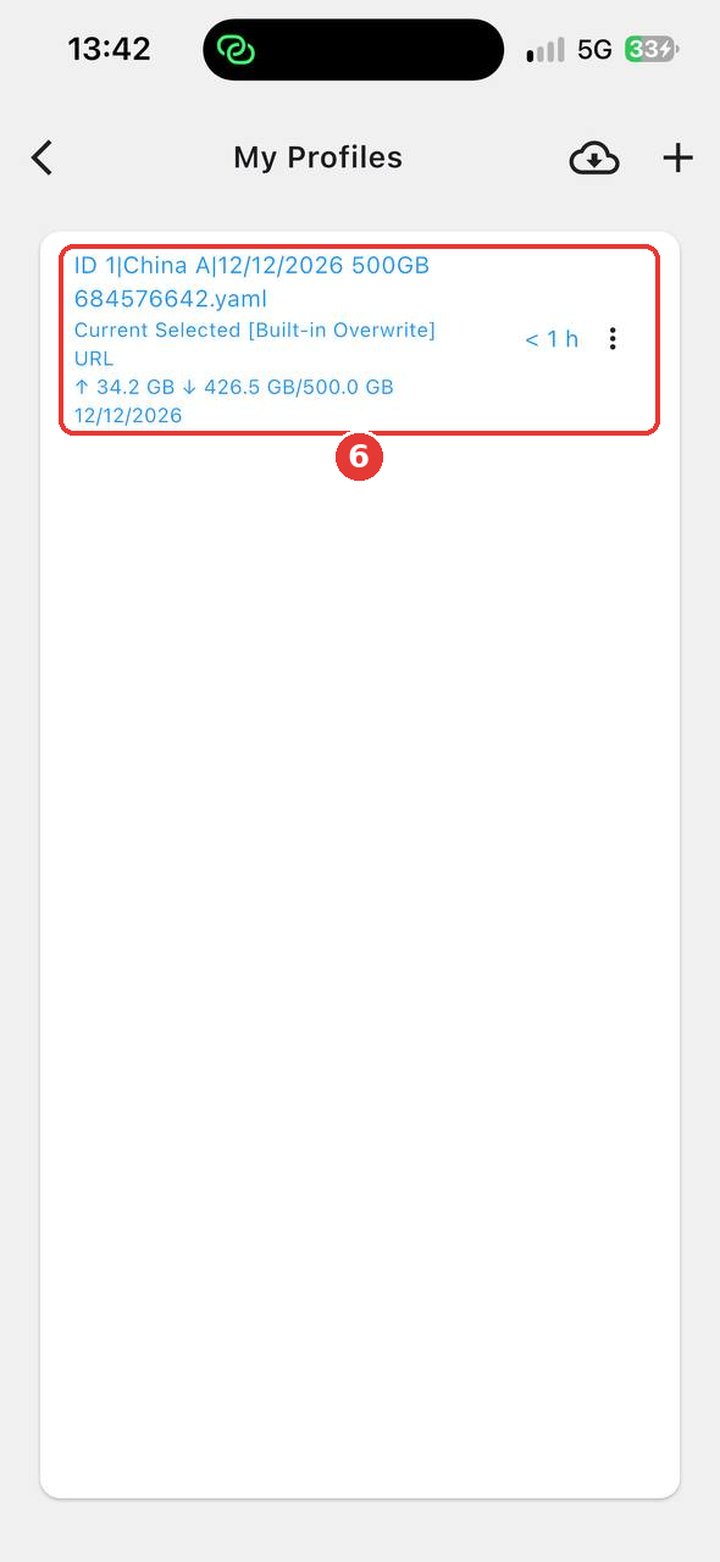
Once added you'll see profile ⑥ showing data and expiry date. Tap < at the top left to go back to the home screen.
Step 5Connect and pick a server
Turn on switch ⑦ (it shows Connected) and keep mode ⑧ on Rule. To pick a server tap ⑨ Proxy; ⚡ Auto is recommended.

Update servers (if you lose connection or just renewed)
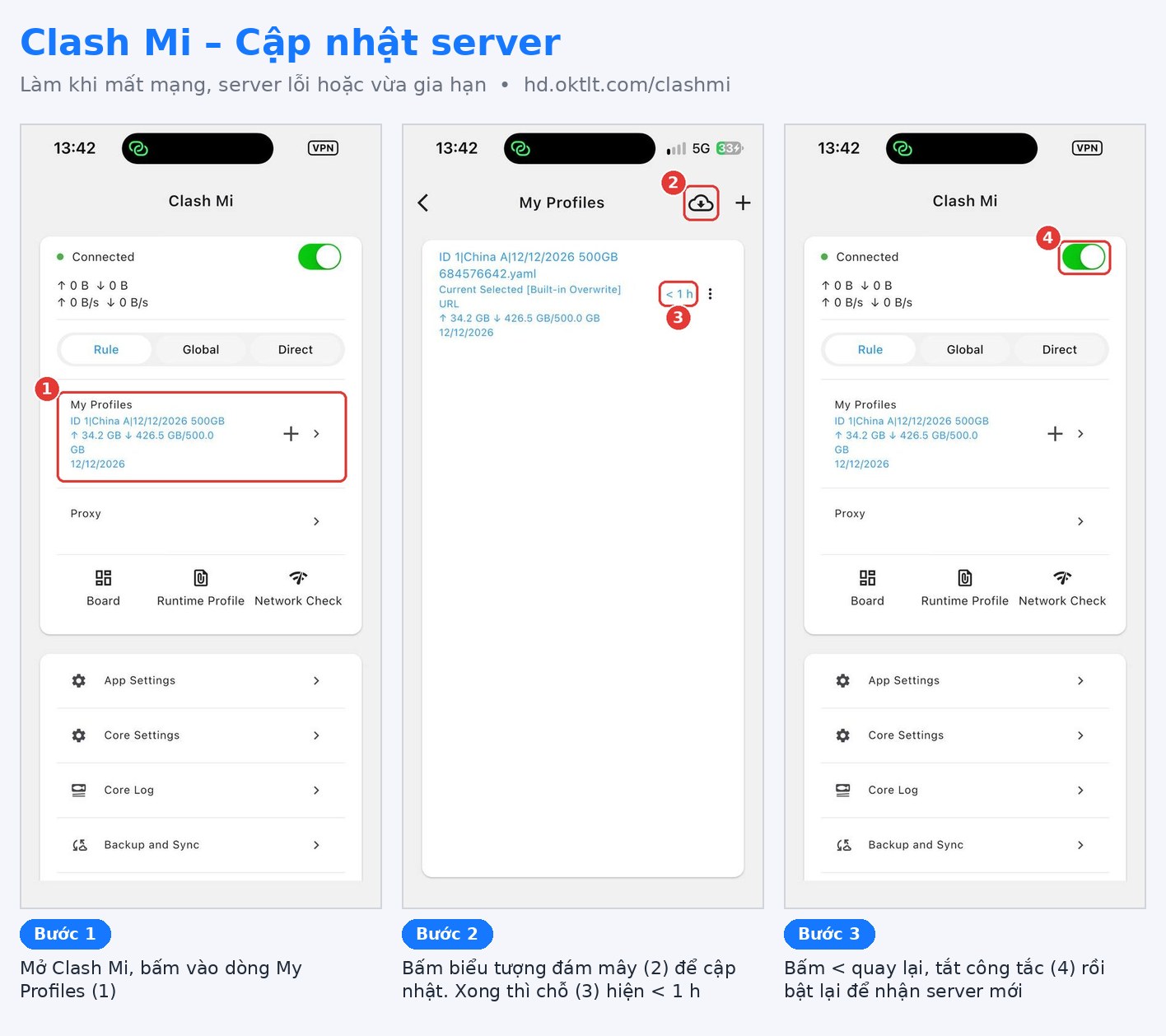
Tap the My Profiles row → tap the cloud icon at the top right to update. When done, the profile shows < 1 h on the right. Go back, switch off and on again to get the new servers.
Still not working? Message support with a screenshot.