🌐 EN
FlClash – Android / Windows / Mac
A free, lightweight app that picks the fastest server for you. Chinese websites/apps go direct, so they stay fast. The numbers ①②③… in the pictures show where to tap.
Step 0Download the app
Android (.apk)Windows (.exe)Mac (.dmg)
- If the Mac says the app can't be opened, go to System Settings → Privacy & Security → Open Anyway.
- Other versions (Intel Mac…): FlClash on GitHub (in China you need a VPN to open it).
Step 1Open "add profile"
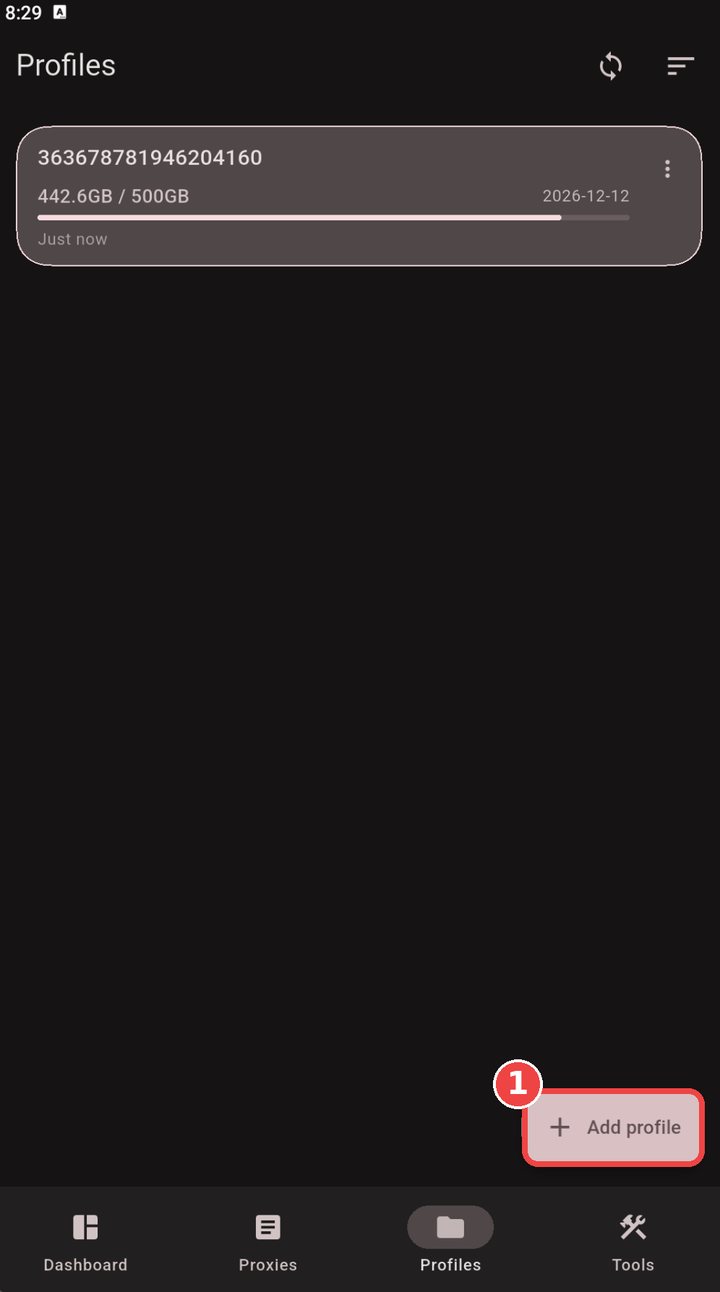
Open FlClash → Profiles → tap ① Add profile.
Step 2Scan the QR code (recommended)
Choose ② QR code, allow camera access and point the camera at your subscription QR code. When it works you'll see a profile card with data and expiry date; tap the card to select it.
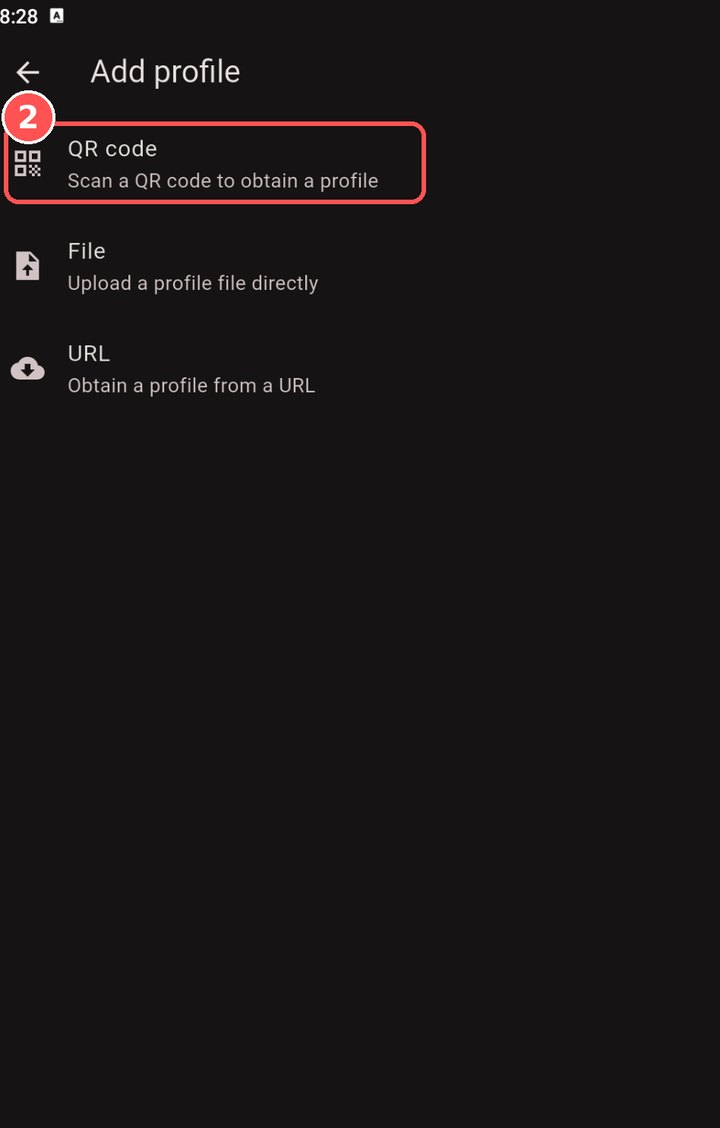
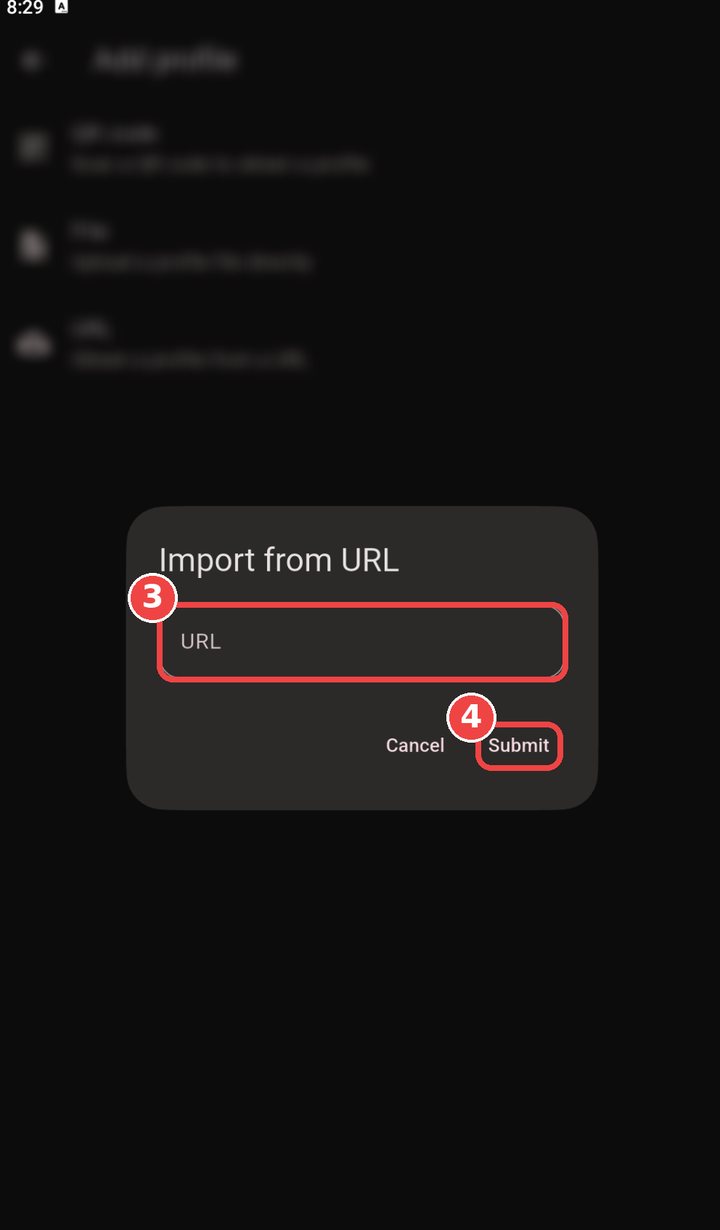
Can't scan (on a computer, or the code is on this same device)? Paste the link: copy your subscription link (log in to tltvpn.com → home page → copy subscription link), choose URL instead of QR code, paste the link into box ③ and tap ④ Submit.
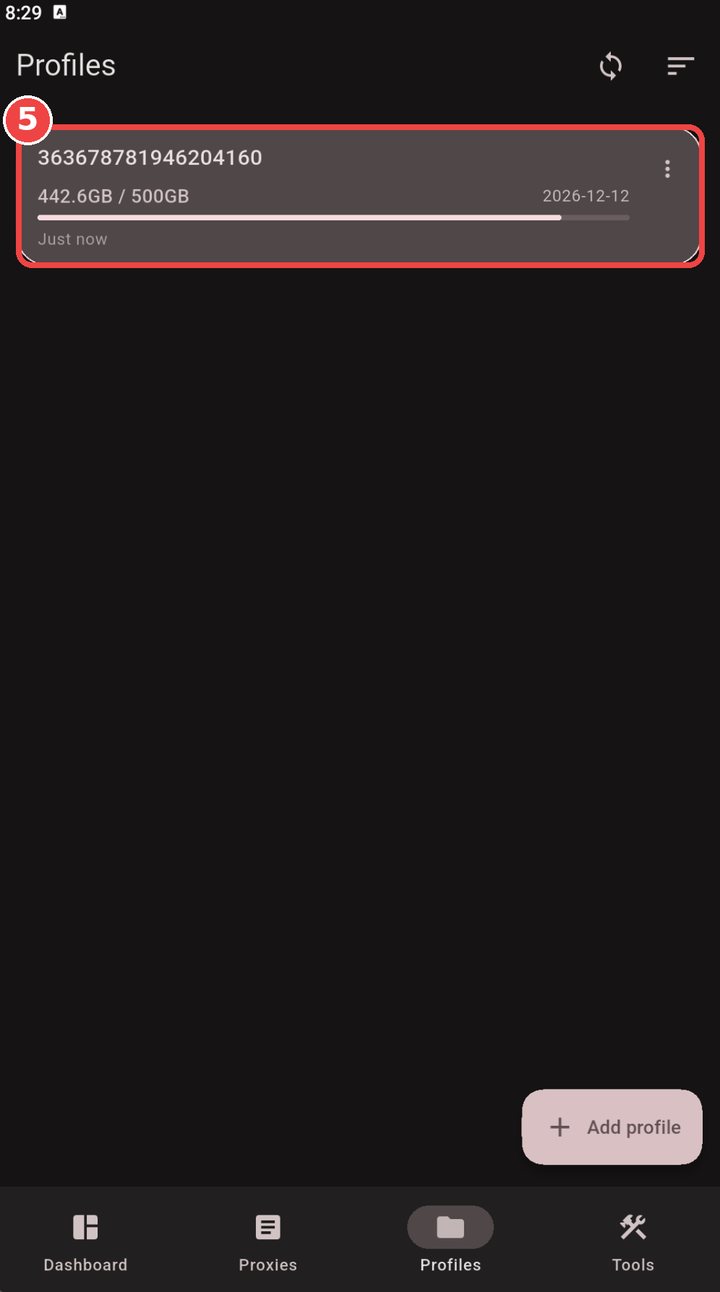
When profile card ⑤ appears you're done. The name may be a long number (e.g. 363678781946204160) — that's normal, no need to change it.
Step 3Connect
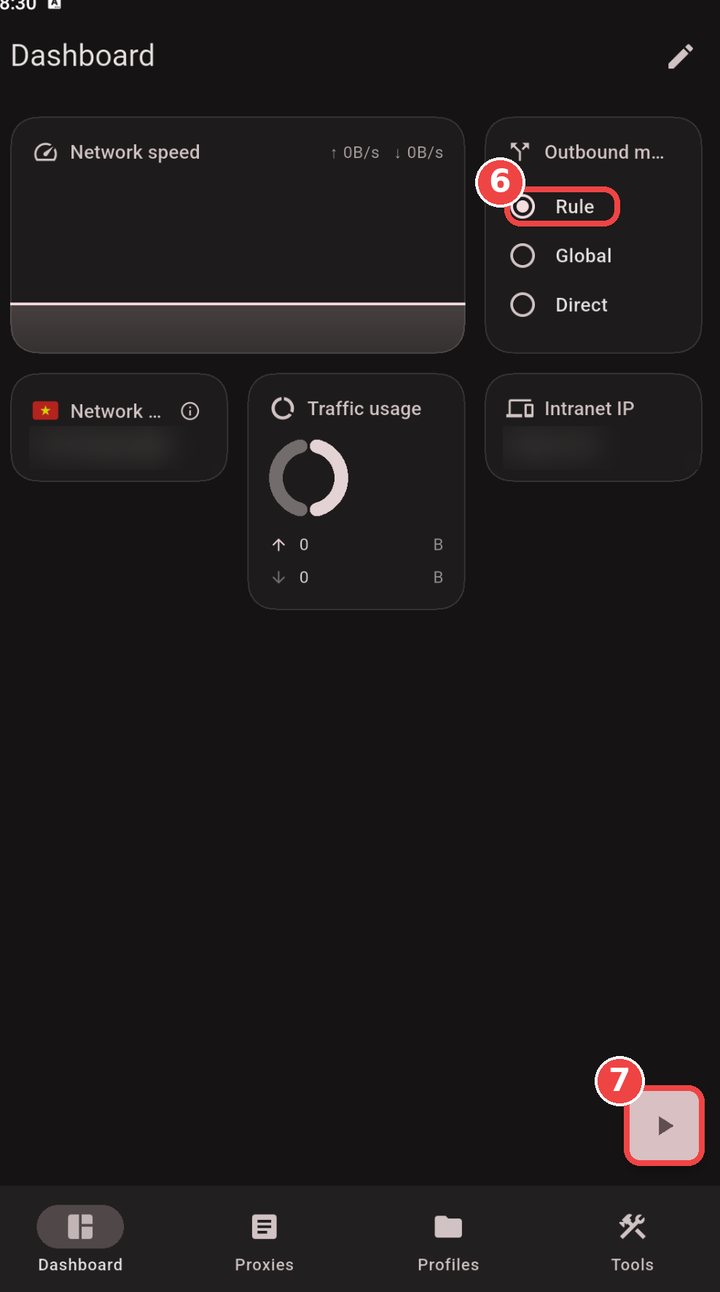
Go to Dashboard: keep mode ⑥ on Rule, then tap ⑦ ▶ to turn it on.
Step 4Pick a server
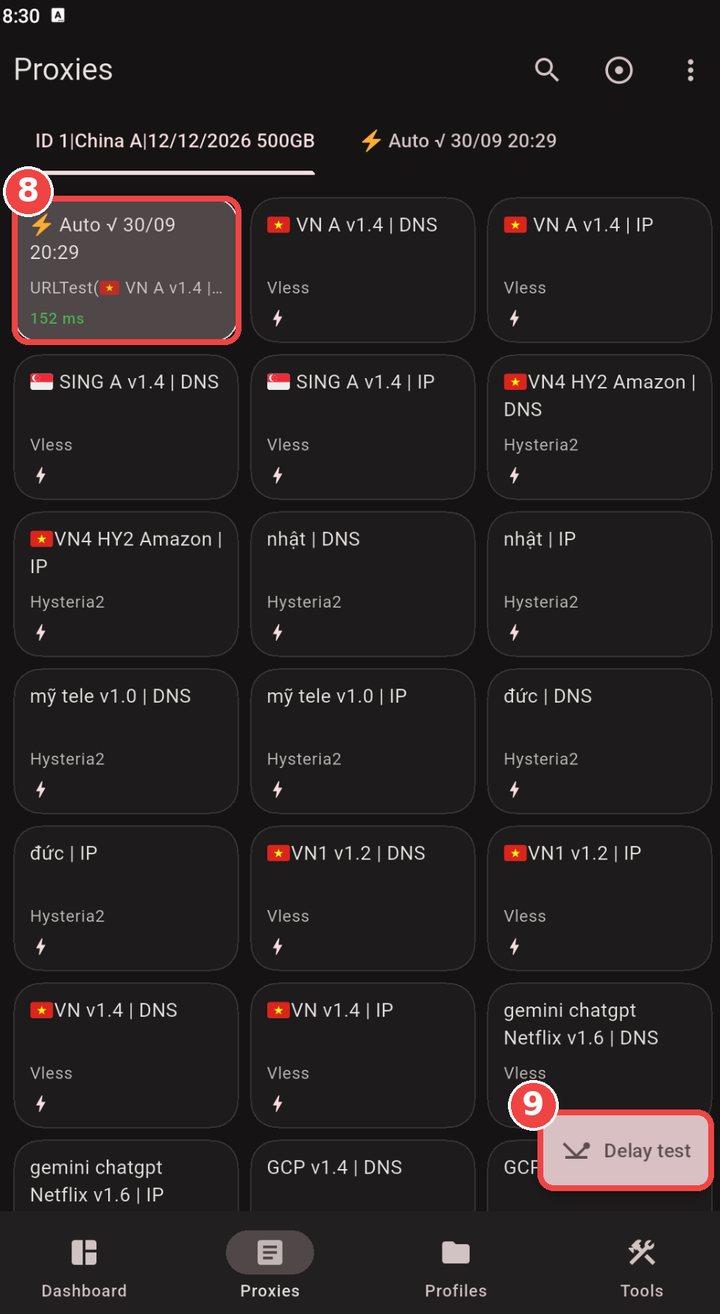
Under Proxies, keep the main group on ⑧ ⚡ Auto — the app picks the fastest server and switches automatically if one fails. Tap ⑨ to test server latency.
Step 5Update servers (if you lose connection or just renewed)
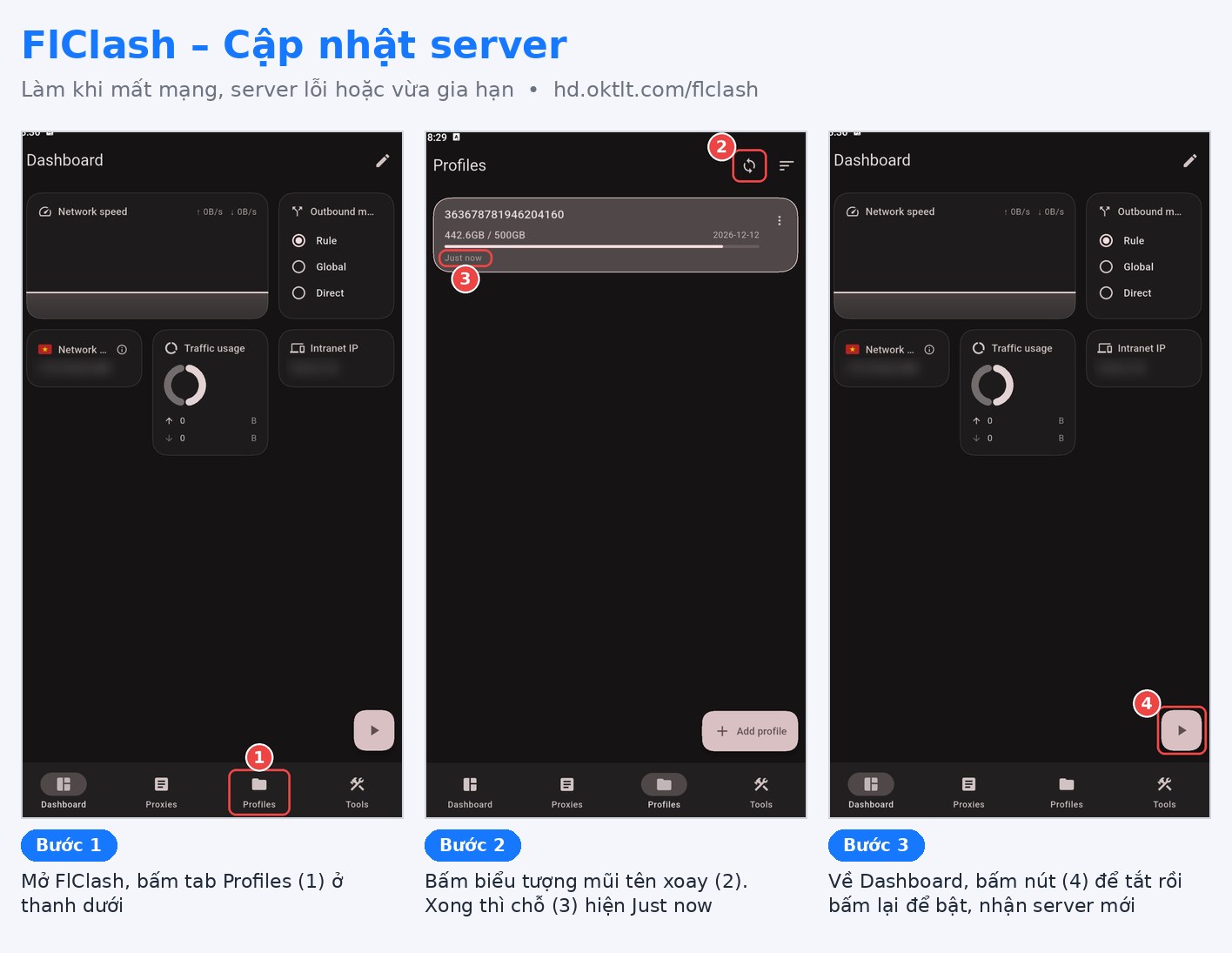
Tap the Profiles tab → tap the circular arrow icon at the top right. When done, the profile shows Just now. Go back to Dashboard, tap ▶ to turn off, then tap again to turn on and get the new servers. The app also updates by itself every 12 hours.
Android tips
- Phone Settings → Battery → FlClash → choose Unrestricted so the VPN doesn't turn off when the screen locks.
- No internet: turn ▶ off and on → update (Step 5) → still failing? Message support with a screenshot.